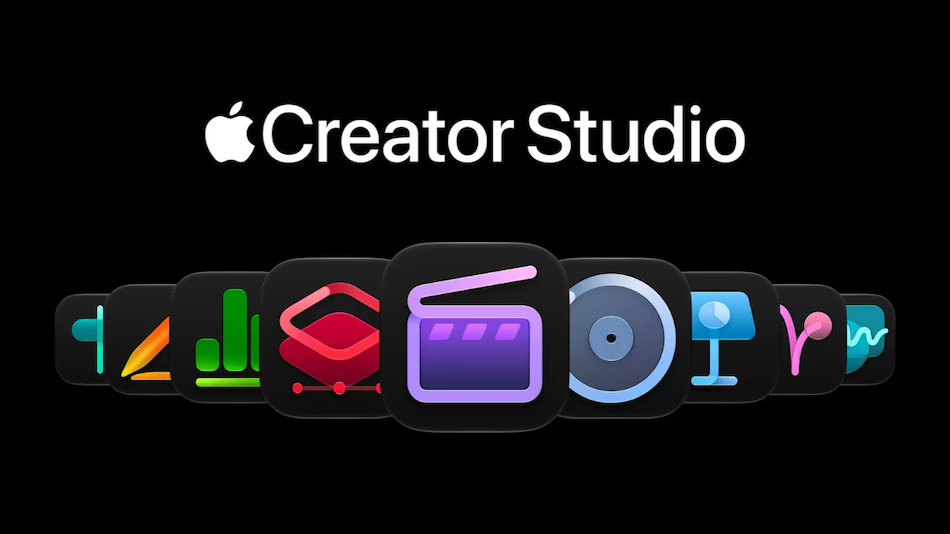
Apple announced major updates to its “Apple Creator Studio” suite on Tuesday. The Cupertino-based tech giant has introduced new AI-powered tools and creative features across its suite of applications for video editing, music production, image editing, and productivity. Final Cut Pro now includes special effects from MotionVFX and an improved editing workflow, while Logic Pro has gained intelligent assistants and an upgraded “Stem Splitter” feature. Additionally, Apple has integrated AI-driven assistants and workflow automation support into Keynote, Pages, and Numbers.
Pricing and Availability in India
The new features for Apple Creator Studio will arrive on the App Store in November and will be available as a free update for existing subscribers. In India, the subscription is priced at ₹399 per month or ₹3,999 per year. A discounted rate is available for university students and educators, at ₹199 per month or ₹1,999 per year.
New users can take advantage of a one-month free trial, while those who purchase a new Mac or an eligible iPad will receive three months of access at no extra cost. Apple also offers one-time purchase options for its Mac applications, including Final Cut Pro (₹29,900), Logic Pro (₹19,900), Pixelmator Pro (₹999), Motion (₹4,900), Compressor (₹4,999), and MainStage (₹2,999).
Keynote, Pages, Numbers, and Freeform come free with every new iPhone, Mac, and iPad.
New Features in Apple Creator Studio
A major update is the integration of MotionVFX into Final Cut Pro for Mac. According to Apple, subscribers gain access to thousands of creative assets, including visual effects, plug-ins, transitions, templates, titles, and motion graphics. These tools also encompass features such as keying, tracking, and color grading. Furthermore, the app’s “Content Hub” has been expanded to include a new selection of videos, photos, and background assets curated by Apple.
In addition, the integration between Final Cut Pro and Pixelmator Pro has been deepened; editors can now open images directly from their video timeline, make modifications in Pixelmator Pro, and save the updated images back into their project—all without the need to re-import the edited files. Apple also notes that users can generate images based on text descriptions and quickly adjust their visual style.
Apple’s Motion app now includes built-in MotionVFX plug-ins for cinematic color grading, 3D camera tracking, and visual effects. Meanwhile, Compressor has added encoding support for Cinematic mode video recorded on iPhone 18 Pro and iPhone Duo.
Next, Pixelmator Pro is set to introduce a new AI-powered feature called “Generative Fill.” As the name suggests, it allows users to modify selected parts of an image using natural language prompts—users simply select the area they wish to change and describe the desired outcome.
Apple has also unveiled a new assistant for Logic Pro on Mac, currently in its beta phase. This assistant is powered by a combination of Apple’s own proprietary models and technology from OpenAI. According to Apple, the assistant can help users navigate the production workflow, kickstart the songwriting process, configure vocal tracks based on specific prompts, or refine existing projects. Additionally, Logic Pro for Mac now features a redesigned browser that consolidates loops, instruments, effect presets, and other audio assets into a single, centralized location.
Apple’s “Stem Splitter” tool—designed to separate individual elements within a musical track—has also been upgraded, allowing users to isolate, replace, or rebalance drum parts without needing the original multitrack recordings.
Furthermore, a new AI assistant—currently in beta—is coming to applications including Keynote, Pages, and Numbers. According to the tech giant, these assistants are built on AI models from both Apple and OpenAI; they are capable of understanding the context of a document and helping users complete tasks within their respective apps. In Keynote, the assistant can assist with designing, animating, and refining presentations. Pages users can leverage it to draft, restructure, and edit text, while Numbers users can utilize it to support calculations, data organization, and visualization.
All three of these apps also support the Model Context Protocol (MCP). This enables external AI agents and tools to read content within the apps, make edits, and perform automated actions.
The latest update also introduces new formatting options in Freeform. Users can now access reusable text styles, as well as custom or preset background colors for their boards. Apple also plans to add further features in December.